Setup 2FA Login Security
📲 How to set up one-time passcodes (2FA)
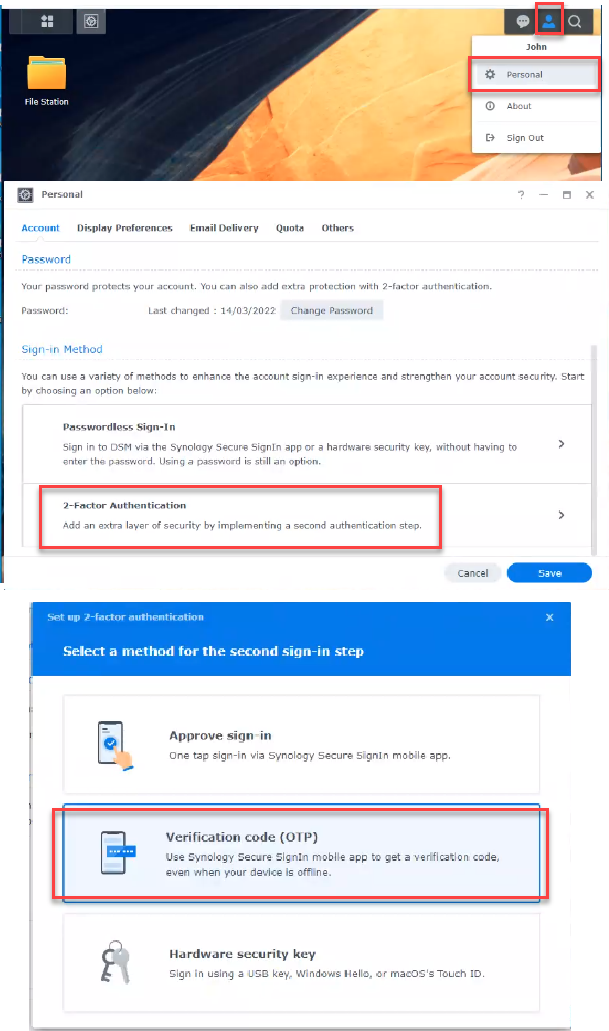
- Click on the user icon in the top-right.
- Select Personal.
- Select two-factor authentication.
- Select Verification Code (OTP).
- Verify your account password.
- Scan the QR code with the your OTP authenticator app
Use a TOTP app like Google Autheticator or Enpass TOTP field - Enter the OTP in the browser.
- Enter a backup email address. ( has to be same as the email address on file )